
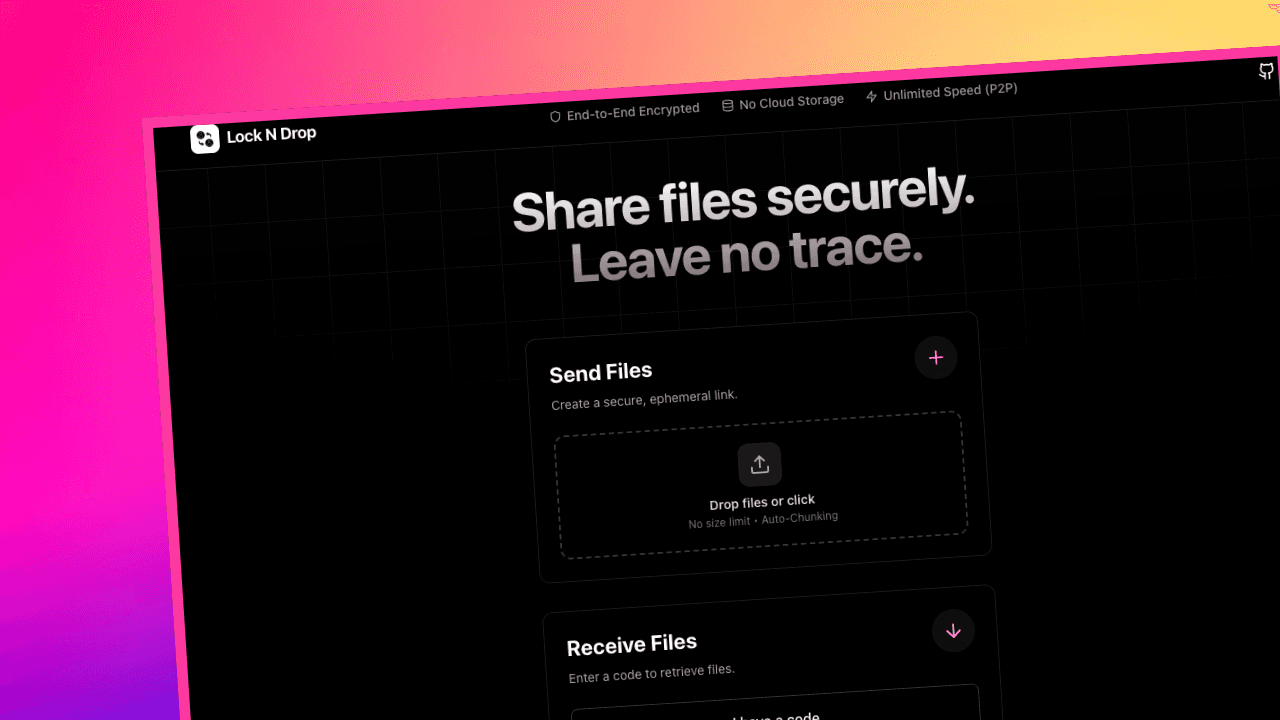
Lock-N-Drop
A free, open-source peer-to-peer file transfer app that streams files directly between devices using WebRTC — no servers, no size limits, no data stored anywhere.
Timeline
1 Month
Role
Full Stack
Team
Solo
Status
CompletedTechnology Stack
Key Challenges
- Binary Protocol Design
- RAM-Efficient File Streaming
- WebRTC Signaling Flow
Key Learnings
- WebRTC & PeerJS
- P2P Architecture
- Binary Data Handling
Overview
A free, open-source peer-to-peer file transfer application that creates a direct encrypted channel between two devices. No uploads, no cloud storage, no file size limits — Lock-N-Drop streams your files straight from sender to receiver so nothing ever touches a server.
About
Lock-N-Drop is a serverless web app built with React, TypeScript, and WebRTC via PeerJS. The entire transfer pipeline runs in the browser — the only server involved is a lightweight PeerJS signaling service used exclusively for the initial handshake. Once two peers are connected, it steps aside entirely.
The project was born out of frustration with traditional file-sharing tools that force you to upload your files to someone else's server, impose size limits, or require an account just to share a single file with a friend. Lock-N-Drop cuts all of that out.
The app solves this by providing:
- True P2P Streaming - Files stream directly device-to-device; no server ever sees the content
- Zero Size Limits - RAM-efficient chunked streaming handles gigabytes or terabytes without breaking a sweat
- 6-Character Codes - Share a short code or a Magic Link — receiver is connected in seconds
- Zero Data Stored - Sessions are ephemeral; the moment the transfer ends, nothing remains
Tech Stack
Frontend & Core
-
React 18 - Modern component-based UI with hooks throughout
-
TypeScript - Type-safe development across 93% of the codebase
-
Vite - Blazing-fast dev server and production bundler
-
Tailwind CSS - Utility-first styling with full dark mode support
Core Mechanics
-
PeerJS - WebRTC abstraction layer that handles signaling and peer lifecycle
-
WebRTC Data Channels - SCTP over DTLS for ordered, reliable, encrypted binary transfer
-
Custom Binary Protocol - Raw
Uint8Arrayframing instead of Base64, eliminating encoding overhead entirely -
Firehose Pipelining - Aggressive chunk pipelining that saturates available bandwidth for maximum throughput
Features
Transfer
-
Send Any File — Drag, drop, or click to select files of any type and any size
-
Magic Link Sharing — Auto-generated link opens the receiver flow on any device with a click
-
6-Character Session Code — Short, human-readable code for quick manual pairing
-
Auto Download — Receiver sees real-time progress and files download automatically on completion
Performance
-
Firehose Streaming — Custom pipelining sends chunks ahead of acknowledgements to max out bandwidth
-
Binary Framing — Custom
ArrayBufferpacket format with no Base64 overhead, resulting in smaller payloads and faster transfers -
20fps Progress UI — Smooth real-time transfer indicators that never lag the transfer itself
Privacy & Security
-
DTLS-SRTP Encryption — WebRTC's built-in standard encrypts all data in transit
-
Zero Server Storage — Files go RAM-to-RAM between devices; nothing is written to disk anywhere
-
Ephemeral Sessions — Peer IDs and connections are discarded the moment a transfer completes
-
No Account Required — Open the site, share a code, done
Cross-Platform
-
Browser-Native — Works on any device with a modern browser; no install required
-
Dark Mode — Full light/dark theme support that follows system preference
How It Works
Lock-N-Drop uses a minimal two-phase architecture:
- Signaling — Sender visits the app and gets a unique 6-character session code backed by an ephemeral PeerJS ID
- Handshake — Receiver enters the code; PeerJS broker exchanges WebRTC offer/answer and ICE candidates between the two peers
- Direct Connection — PeerJS steps aside; a WebRTC Data Channel is established directly between the two devices
- Streaming — Files are chunked into raw binary frames and pipelined across the channel using the firehose protocol
- Download — Receiver's browser reassembles chunks in memory and triggers an automatic download — no server involved at any point
What I Learned
Technical Skills
-
WebRTC Architecture - Built a complete P2P transfer pipeline from signaling through data channel management, handling ICE negotiation, connection state, and teardown
-
Binary Protocol Design - Designed a custom
ArrayBuffer-based packet framing system from scratch, replacing Base64 encoding with raw binary to eliminate overhead and improve throughput -
RAM-Efficient Streaming - Implemented chunked file reading with
FileReaderand streamed assembly on the receiver side to handle arbitrarily large files without blowing the memory budget -
PeerJS Internals - Went beyond the PeerJS happy path to handle edge cases in reconnection, signaling failures, and ICE candidate timeouts
Architecture Patterns
-
Serverless by Design - Architected the entire app as a static site where the only external dependency is a free signaling broker, keeping hosting costs at zero
-
Ephemeral Session Model - Designed connection lifecycle so that peer IDs, session state, and transfer data are all discarded after use, with no persistence layer required
-
Firehose Pipelining - Implemented an aggressive send-ahead chunk pipeline that keeps the Data Channel saturated rather than waiting for per-chunk acknowledgements
Development Practices
-
Type-Driven Development - Used TypeScript interfaces to model the binary protocol, peer state machine, and transfer lifecycle, catching bugs at compile time rather than runtime
-
Vite + Bun Toolchain - Leveraged Vite's fast HMR for rapid UI iteration and Bun as the package manager for faster installs
-
User-First UX - Prioritized a zero-friction flow: no accounts, no configuration, no file size warnings — just share a code and go
Usage
- Open the App - Visit lockndrop.asimsk.site
- Send - Click "Send Files", select your files, and share the generated 6-character code or Magic Link with the receiver
- Receive - Receiver clicks "Receive Files", enters the code, and the transfer begins automatically
- Download - Files download directly to the receiver's device the moment the stream completes
- Done - The session closes and nothing is retained anywhere
Running Locally
# Clone the repository
git clone https://github.com/asimar007/Lock-N-Drop.git
cd Lock-N-Drop

# Install dependencies
bun install
# or
npm install

# Start the development server
bun dev
# or
npm run dev
No .env file required — the project uses the public PeerJS signaling server out of the box.
# Production build
bun run build