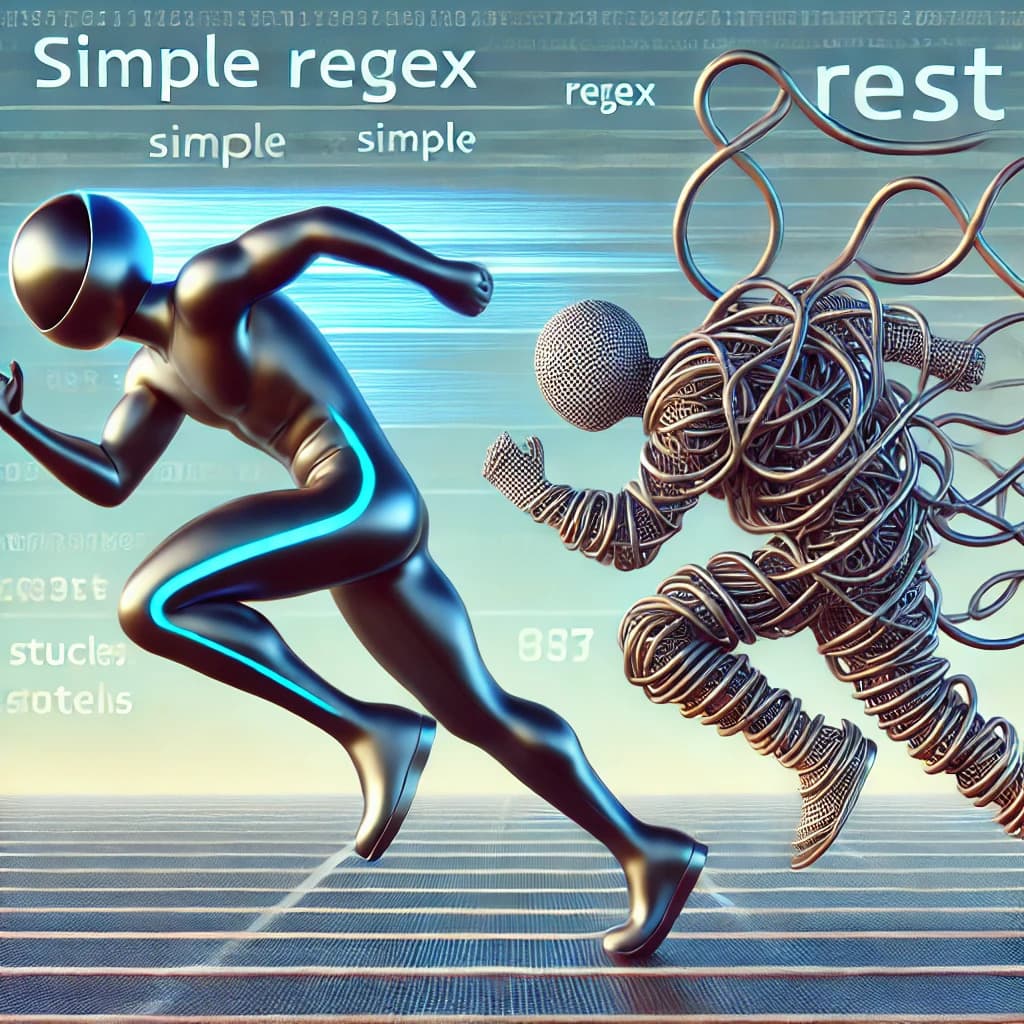

How a Single Selfie Took Down Twitter
Ellen's Oscar selfie took Twitter down in 20 minutes. The servers were fine — everyone just kept hitting the same cache key.
40 million people were watching the Oscars. Ellen pointed at the camera and basically said — retweet this, right now, all of you.

The original tweet — still the most retweeted post on the platform.
Twitter was down 20 minutes later.
Everyone assumes it was just too much traffic. Too many users, not enough servers. But that's not what happened. The real reason is something that will eventually show up in your system too — and you probably won't see it coming.
By the end of this post you'll know what a Hot Key is, why it's scarier than a traffic spike, and how to make sure it doesn't take your app down.
How Twitter Normally Works
Twitter keeps popular tweets in a cache — fast memory that sits in front of the database. Instead of hitting the DB every time someone loads a tweet, the cache just hands it back instantly.
Normal day: millions of people, millions of different tweets, traffic spreading naturally across all cache servers. Every node carries roughly its fair share. Nothing breaks.
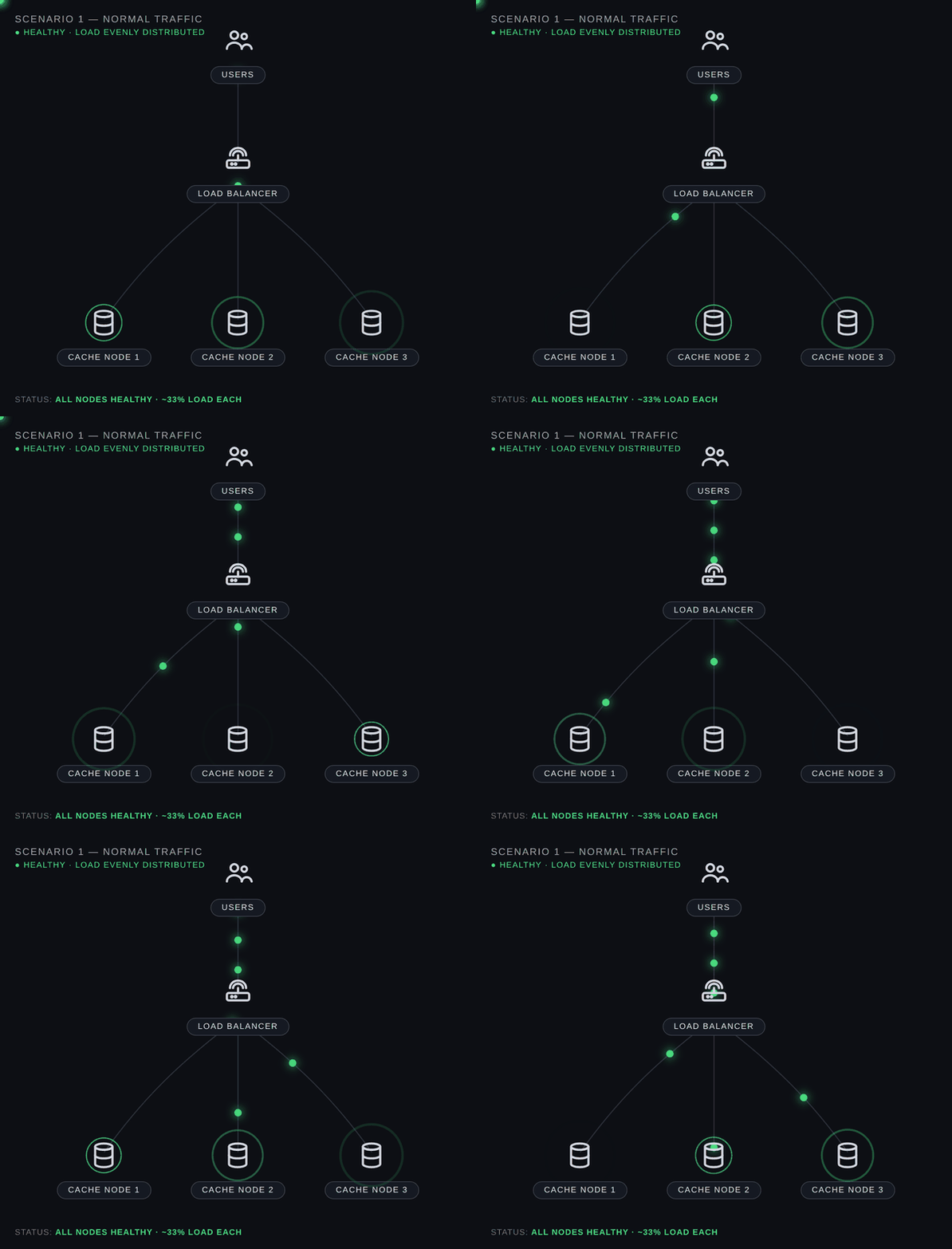 Three nodes. Balanced. Quiet. This is what healthy looks like.
So What Actually Broke?
Ellen didn't just post a tweet. She told 40 million live TV viewers to go retweet it. Right now. Tonight.
So they all opened Twitter at once. And they all went looking for the exact same Tweet ID at the exact same second.
Every request went to the one node holding that key. The other two just sat there. That one node took the full hit — and fell over.
That's a Hot Key. One piece of data, one overwhelmed server, the rest of your infrastructure completely useless.
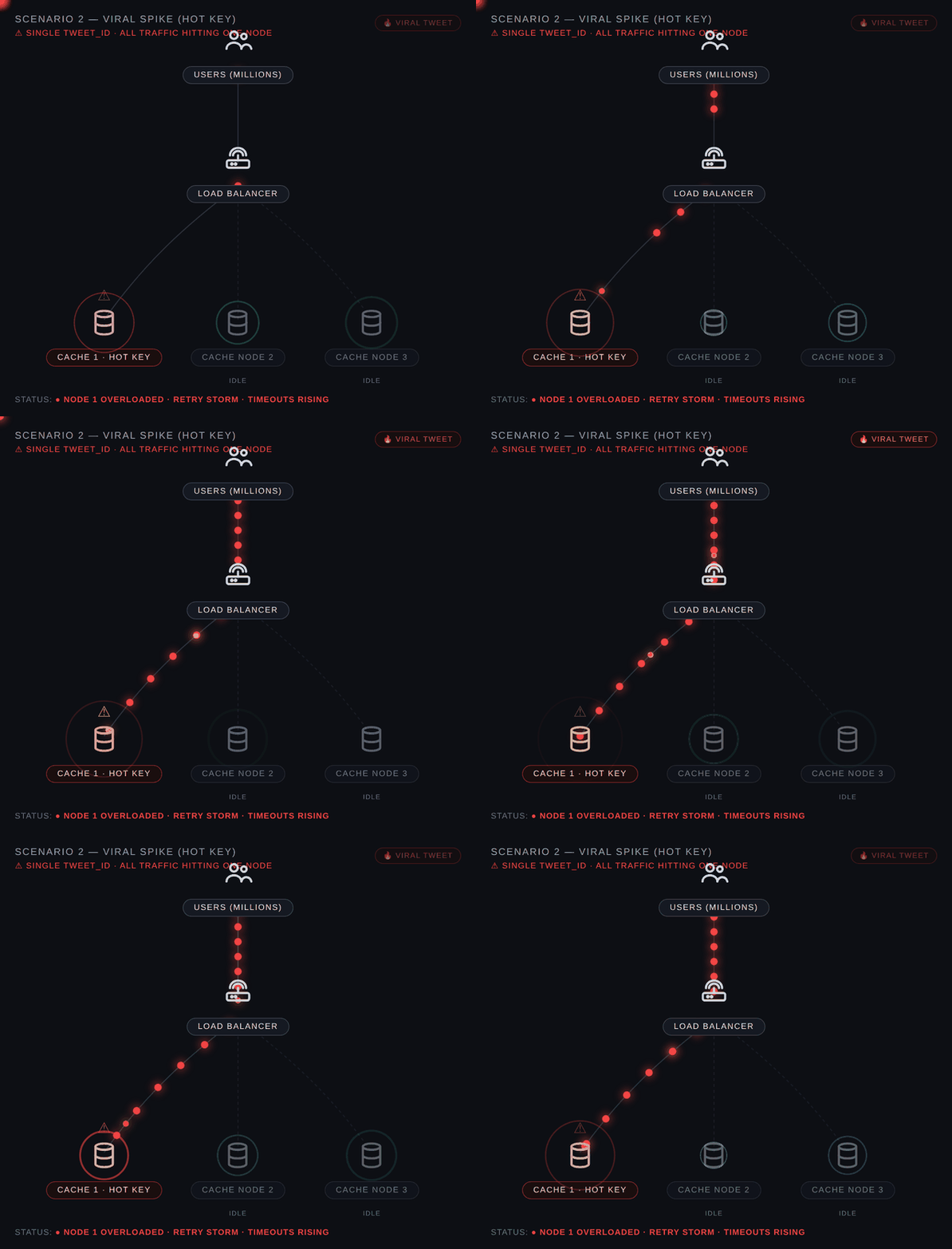 All traffic hits Node 1. Nodes 2 and 3 idle. Node 1 is finished.
And Then It Got Worse
When that cache node went down, users got errors. Their apps did the sensible thing — retry the request. Automatically. Immediately.
Millions of phones. All retrying. All hitting the same dead server. Over and over.
Twitter had turned its own users into a DDoS attack against its own infrastructure. Nobody planned it. Nobody could stop it. The apps were just doing their job.
Don't do this:
// Retries instantly — will finish off your dying server
function retry() {
  fetchTweet();
}
Do this:
// Backs off, adds randomness, gives the server room to recover
function retry(attempt) {
  const delay = Math.min(1000 * 2 ** attempt, 30000);
  const jitter = Math.random() * 1000;
  setTimeout(fetchTweet, delay + jitter);
}
The jitter is the part people skip. Without it, a thousand clients wait exactly 2 seconds and then all retry at the exact same moment. You haven't solved anything, you've just delayed it.
Meanwhile, Something Else Was Breaking
While the cache was dying, something else was quietly falling apart.
When you retweet something on Twitter, the system doesn't just update a number. It copies that tweet into the personal timeline of every single one of your followers. Every one.
2 million retweets. Multiply by each person's follower count. That's billions of individual writes, all queued at once. The background workers couldn't keep up. Timelines froze. And now the failure had jumped to a completely different part of the system.
This is how real outages spread. They don't stay where they start.
The Fix: Shard Your Hot Keys
Don't keep a viral tweet on one node. Copy it across several.
// All pressure on one key
cache.set('tweet_123', data);

// Spread it across nodes
cache.set('tweet_123_shard1', data);
cache.set('tweet_123_shard2', data);
cache.set('tweet_123_shard3', data);

// Each user routes to a different shard
const shard = (userId % 3) + 1;
cache.get(`tweet_123_shard${shard}`);
Same traffic. Three servers sharing it instead of one dying alone. The spike becomes a non-event.
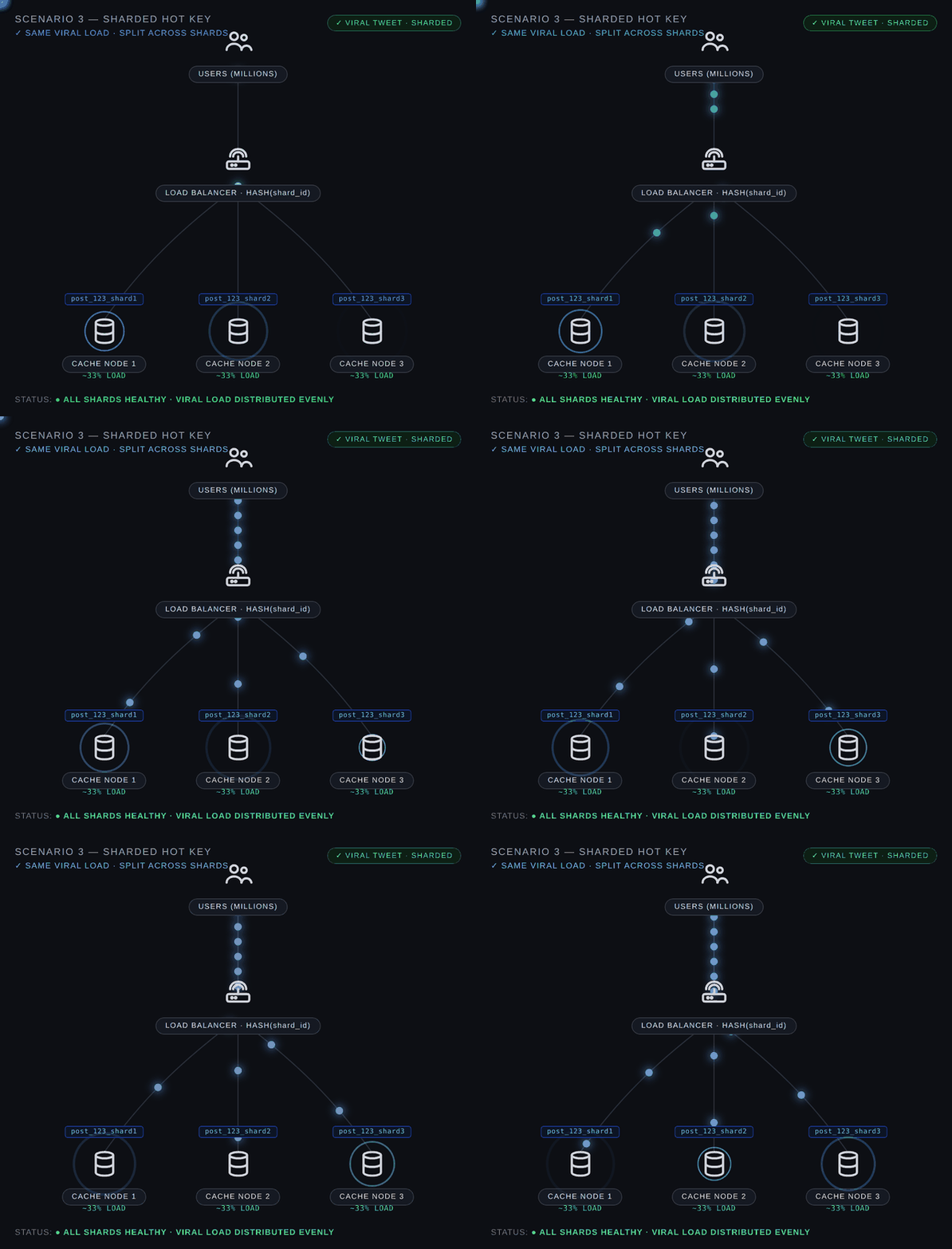 Same load. Three nodes. 33% each. System doesn't even notice.
Twitter made around 50 architectural changes after this. Sharding the cache was the one that mattered most.
Don't Make These Mistakes
Trusting your load balancer too much. It balances requests — but only when the keys are different. One hot key and that balance means nothing.
Retrying without backoff. Instant retries on a failing server don't help it recover. They finish it off. Exponential backoff and jitter aren't a nice-to-have.
Fan-out for everyone. Fine for regular users. For accounts with massive followings, go pull-based — fetch the tweet when someone opens the app instead of pushing it to millions of timelines the second it's posted.
TL;DR
- A Hot Key is when one piece of data gets so much traffic it kills the single server holding it
- Retry storms happen when your own app hammers its dying servers — fix it with exponential backoff and jitter
- Shard hot keys across multiple nodes so no single one takes the full hit
- Fan-out write amplification quietly buries your queues during spikes